

Every search begins with a need. Someone wants to solve a problem, compare products, find a nearby business, or understand something unfamiliar. Search engines connect those questions with information through systems that discover, organise, and evaluate online content.
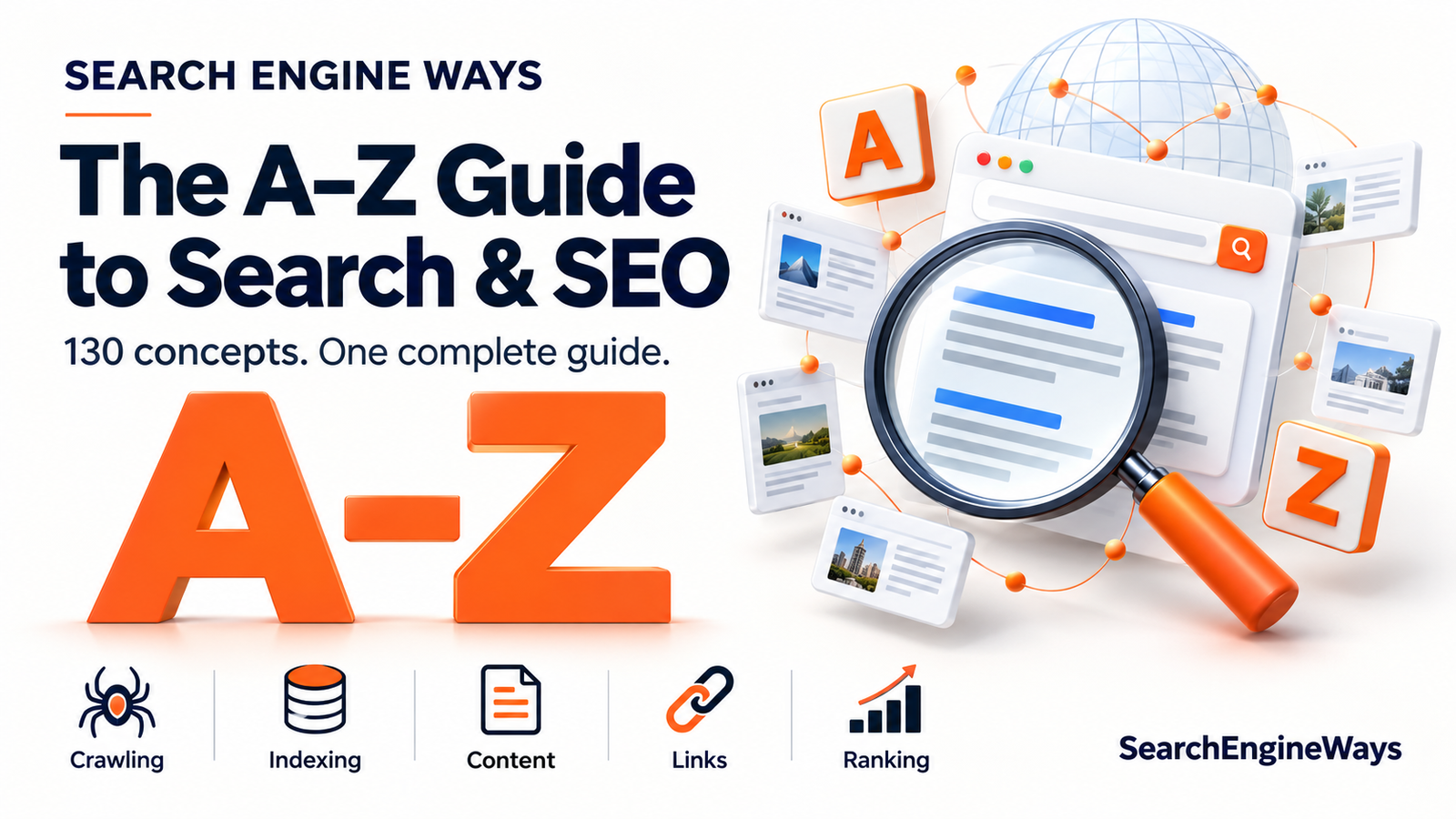
Understanding these processes helps you become a better searcher and a more effective website owner. This A-to-Z guide covers five concepts for every letter, combining search fundamentals, content development, technical SEO, and practical website improvements. Some entries are established technical terms; others are editorial practices that help turn search visibility into a useful reader experience.
A — Algorithms, Authority, Anchor Text, Accessibility, Analytics
- Algorithms: Search algorithms evaluate information to select and order results. Multiple systems work together, which is why one adjustment, such as adding a keyword, cannot guarantee a particular position.
- Authority: Authority describes a source’s credibility within a subject. Demonstrated knowledge, useful research, and recognition from relevant sources can support that credibility. It should not be confused with a single universal search engine score.
- Anchor Text: Anchor text is the clickable wording of a link. A phrase such as “website maintenance checklist” gives readers more useful context than a vague instruction like “click here.”
- Accessibility: Accessible websites accommodate people with different abilities and ways of browsing. Meaningful image descriptions, readable layouts, and keyboard-friendly controls help more visitors access the information you publish.
- Analytics: Analytics helps you understand how visitors find and use your website. Review meaningful actions, including enquiries and purchases, alongside traffic totals to assess whether your content serves its intended purpose.
B — Backlinks, Bots, Breadcrumbs, Broken Links, Brand Searches
- Backlinks: Backlinks connect another website to yours. They can introduce readers to your work and help search engines discover pages. A useful link should have a clear reason to exist within its surrounding content.
- Bots: Bots are automated programs that perform online tasks. Search crawlers are one type, visiting accessible resources to collect information. Other bots have different purposes, so bot activity does not always represent search engine visits.
- Breadcrumbs: Breadcrumbs show where a page sits within a website’s hierarchy. A path such as “Home > Guides > Gardening” helps readers understand the structure and return to a broader category.
- Broken Links: Broken links lead to unavailable or incorrect destinations. They interrupt the reader’s journey, especially when someone expects instructions or supporting evidence. Check important links and replace or remove those that no longer work.
- Brand Searches: Brand searches include the name of a company, product, or organisation. They can help you understand what people want to know about your business, including services, reviews, pricing, and contact information.
C — Crawling, Content, Context, Canonical URLs, Conversions
- Crawling: Crawling is how search engines visit and discover online resources. Links provide routes between pages, allowing crawlers to explore connected content before it can be considered for further processing.
- Content: Content includes the words, images, videos, and tools a page provides. Start with a specific reader need, then choose the format and detail that answer it most effectively.
- Context: Context gives a query meaning. “Apple storage” might concern fruit preservation or device capacity. Surrounding words help clarify which explanation a person is seeking.
- Canonical URLs: A canonical URL represents the preferred version of duplicate or closely similar pages. Consistent URL management helps organise content when several addresses provide substantially the same information.
- Conversions: A conversion is a meaningful action, such as submitting an enquiry or completing a purchase. Define these actions before evaluating performance so that increased traffic can be assessed against actual business goals.
D — Discovery, Duplicate Content, Descriptive Titles, Domain Names, Data Accuracy
- Discovery: Discovery happens when a search engine learns that a URL exists. Publishing alone does not guarantee visibility: Google distinguishes discovering and crawling content from indexing it and serving it in results. (developers.google.com)
- Duplicate Content: Duplicate content appears when substantially similar information exists at multiple addresses. It can arise naturally through website systems. Review the cause before deciding whether to consolidate pages or manage their preferred versions.
- Descriptive Titles: A descriptive title tells readers what a page offers. “How to Clean Silver Jewellery at Home” establishes a clearer expectation than an unexplained headline such as “The Ultimate Secret.”
- Domain Names: A domain name identifies a website’s address. Choose something recognisable, memorable, and suitable for the business. Avoid expecting the name itself to compensate for weak content or an unclear website.
- Data Accuracy: Accurate details make content dependable. Verify figures, specifications, addresses, and dates before publishing. When information changes frequently, establish a review process rather than assuming it will remain correct.
E — Expertise, Experience, Engagement, Evergreen Content, External Links
- Expertise: Expertise is demonstrated through accurate explanations and informed judgement. Show readers that you understand the subject by addressing practical details, common misunderstandings, and relevant limitations.
- Experience: Firsthand experience can add information that general summaries lack. Describe what you actually tested or observed, including the circumstances, instead of presenting assumptions as personal knowledge.
- Engagement: Engagement describes interactions with content, such as reading, exploring, or using a tool. Interpret these behaviours carefully: a short visit may mean someone quickly found the answer they needed.
- Evergreen Content: Evergreen content remains useful beyond a short news cycle. Tutorials and foundational explanations often fit this category, although examples, links, and instructions still need occasional review.
- External Links: External links direct readers to other websites. Use them where an original source, detailed reference, or useful resource strengthens the explanation and helps someone investigate further.
F — Freshness, Findability, Featured Snippets, Formatting, Frequently Asked Questions
- Freshness: Freshness matters differently across searches. Current information is especially valuable for developing news, while an established definition may remain useful for years. Google varies the importance of freshness according to the query. (www.google.com)
- Findability: Findability measures how easily people can locate information. Clear categories, descriptive page names, and sensible navigation reduce the effort required to reach a useful answer.
- Featured Snippets: Featured snippets are highlighted extracts that can answer questions directly in search results. Write clear explanations for readers, while recognising that selection and presentation remain outside a publisher’s control.
- Formatting: Formatting makes information easier to scan and understand. Use paragraphs for explanations, lists for sequences, and tables for comparisons. Choose the structure that suits the material rather than decorating every sentence.
- Frequently Asked Questions: FAQs address recurring uncertainties. Build them from genuine customer questions and provide specific answers. Avoid adding repetitive questions that merely restate information already explained clearly on the page.
G — Googlebot, Geographic Relevance, Grammar, Goal Setting, Guidance
- Googlebot: Googlebot is the name associated with Google’s main search crawlers. Understanding whether your important pages are accessible to it can help diagnose discovery and crawling problems.
- Geographic Relevance: Geographic relevance connects results with a location-related need. Someone looking for a nearby repair service needs information about businesses serving that area, including accurate contact and location details.
- Grammar: Clear grammar reduces ambiguity and makes explanations easier to follow. Editing should improve meaning and readability while preserving a natural voice appropriate to the audience.
- Goal Setting: Set a purpose for each important page. An educational guide might support understanding, while a service page helps someone assess suitability and make an enquiry.
- Guidance: Guidance turns information into practical help. Explain what readers can do next, what they should check first, and which factors might change the appropriate action.
H — Headings, Hyperlinks, HTML, HTTPS, Helpful Content
- Headings: Headings divide a page into understandable sections. Readers should be able to scan them and recognise the main subjects without needing to read every paragraph first.
- Hyperlinks: Hyperlinks connect pages, documents, and sections. Add them where following a connection offers a useful next step, such as checking a source or exploring a related explanation.
- HTML: HTML structures webpage content using elements such as headings, paragraphs, and links. Meaningful structure makes the page’s organisation explicit instead of relying entirely on visual appearance.
- HTTPS: HTTPS encrypts communication between a browser and a website. It protects information in transit, although it does not independently prove that a website’s claims or business practices are trustworthy.
- Helpful Content: Helpful content resolves a real need. Explain the answer fully enough to be useful, support important claims, and remove material that adds length without improving understanding.
I — Indexing, Intent, Internal Links, Image Descriptions, Information Architecture
- Indexing: Indexing involves analysing content and potentially storing information about it for search retrieval. A page can be discovered without being indexed, so these stages should not be treated as interchangeable.
- Intent: Intent is the purpose behind a search. Someone researching what a product does needs different information from someone comparing prices or looking for a particular supplier.
- Internal Links: Internal links connect pages within your website. Use them to guide readers from introductory material to deeper explanations and to connect relevant services with supporting information.
- Image Descriptions: Meaningful image descriptions communicate an image’s purpose when it cannot be seen. Describe relevant information naturally, rather than filling descriptions with unrelated keywords.
- Information Architecture: Information architecture determines how content is grouped and labelled. Organise your website around understandable subjects and reader needs so its structure remains useful as it grows.
J — JavaScript, Journey Mapping, Jargon, Journalistic Research, Judgement
- JavaScript: JavaScript adds functionality and can generate webpage content. For websites that depend on it, check that essential information and navigation remain accessible during search engine processing.
- Journey Mapping: Journey mapping identifies the questions people ask at different stages. A prospective customer may need an introduction, a comparison, and purchasing details across separate visits.
- Jargon: Jargon can be useful among specialists but confusing for newcomers. Explain technical terms when they first appear and avoid specialist wording when a familiar expression communicates the same idea.
- Journalistic Research: Journalistic research involves checking sources, investigating claims, and seeking relevant perspectives. These habits produce stronger articles than repeatedly summarising other summaries without examining the original evidence.
- Judgement: Editorial judgement helps determine what belongs in an article. Select the details that matter to the reader, distinguish evidence from opinion, and avoid claims that exceed what the sources support.
K — Keywords, Keyword Research, Keyword Mapping, Knowledge Graphs, Key Performance Indicators
- Keywords: Keywords are the words and phrases people use to search. They offer clues about audience vocabulary, but the underlying question matters more than repeating the same phrase throughout a page.
- Keyword Research: Keyword research explores how people express their needs. Combine query information with customer conversations to identify subjects that are both relevant to your business and useful to readers.
- Keyword Mapping: Keyword mapping assigns related topics and search needs to appropriate pages. It helps each page maintain a clear purpose and reveals gaps or unnecessary overlap in your content plan.
- Knowledge Graphs: Knowledge graphs organise entities and relationships. For example, they can connect an author with books, organisations, and places, helping represent information beyond isolated strings of text.
- Key Performance Indicators: KPIs measure progress toward defined outcomes. Choose indicators that reflect your purpose, such as qualified enquiries, alongside supporting measures such as search impressions and website visits.
L — Local Search, Long-Tail Keywords, Link Building, Landing Pages, Loading Speed
- Local Search: Local search concerns nearby places, services, and businesses. Provide clear information about where you operate, what you offer, and how customers can contact or visit you.
- Long-Tail Keywords: Long-tail keywords belong to the less frequently searched portion of search demand. They are often specific, but a phrase’s length alone does not determine whether it belongs in this category.
- Link Building: Link building involves developing opportunities for other websites to reference your content. Useful research, relevant resources, and appropriate outreach provide clearer reasons for a link than requests with no reader benefit.
- Landing Pages: A landing page receives visitors arriving through a particular route or campaign. Its message should match their expectations and make the next useful action easy to understand.
- Loading Speed: Loading speed affects how quickly visitors can access information. Review oversized images, unnecessary scripts, and slow responses, prioritising changes that remove noticeable delays for real users.
M — Metadata, Mobile Usability, Meaning, Measurement, Maintenance
- Metadata: Metadata describes a page through elements such as its title and meta description. Keep these details specific and aligned with the actual content rather than promising an answer the page does not provide.
- Mobile Usability: Mobile usability concerns comfortable browsing on smaller screens. Check text size, menu behaviour, forms, and touch controls so visitors can complete important tasks without unnecessary effort.
- Meaning: Search systems work to interpret concepts and language relationships. Google describes systems that help connect a query with relevant information even when the wording is not identical.
- Measurement: Measurement turns activity into evidence. Compare performance over suitable periods and consider business changes or seasonality before attributing every increase or decline to a recent website edit.
- Maintenance: Website maintenance keeps information and functionality dependable. Check important pages, repair errors, update changed details, and ensure that contact methods and enquiry forms continue to work.
N — Navigation, Natural Language, Niche Focus, Noindex, New Content
- Navigation: Navigation provides routes through your website. Use labels readers recognise, keep important destinations easy to reach, and avoid making visitors understand your internal business structure first.
- Natural Language: Natural language reflects how people ordinarily communicate. Write complete explanations that answer questions directly, using the level of technical detail your audience needs.
- Niche Focus: Niche focus gives your content a defined subject and audience. A clear focus makes it easier to select relevant topics and develop detailed explanations based on real expertise.
- Noindex: A noindex instruction tells supporting search engines not to index a page. Google must be able to crawl the page to see the instruction; blocking crawling can prevent that.
- New Content: New content should address a meaningful gap. Before publishing another article, check whether improving an existing page would answer the question more clearly and avoid unnecessary repetition.
O — Organic Results, On-Page SEO, Original Research, Outbound Links, Organisation
- Organic Results: Organic results are unpaid search listings. Google states that it does not accept payment to rank pages higher in these results, so advertising spend does not purchase an organic position.
- On-Page SEO: On-page SEO improves how a page communicates its subject. Review its title, explanations, structure, and links together so they support one coherent purpose.
- Original Research: Original research adds new evidence through surveys, experiments, or analysis. Explain your method and limitations so readers can assess what the findings do and do not demonstrate.
- Outbound Links: Outbound links send readers to another website. Choose destinations that support the specific point being discussed and verify that the linked material remains available and relevant.
- Organisation: Good organisation presents information in a useful sequence. Establish the question, explain the essential ideas, and introduce detailed comparisons or exceptions once readers have the necessary context.
P — PageRank, Passage Ranking, Page Experience, Publishing, Performance
- PageRank: PageRank is a link-analysis system associated with Google’s origins. It has evolved and remains part of Google’s core ranking systems, alongside many other methods of evaluating information.
- Passage Ranking: Passage ranking helps Google understand the relevance of individual sections within a webpage. A focused explanation inside a broad article may therefore help the system understand its usefulness for a specific query.
- Page Experience: Page experience concerns how comfortably visitors use a page. Consider loading, layout stability, readability, and interaction together rather than focusing on appearance alone.
- Publishing: Publishing involves more than making a draft visible. Review facts, formatting, links, and mobile presentation before release so readers receive a complete and usable page.
- Performance: Performance should reflect the job a page is meant to do. A specialist page attracting a small number of suitable enquiries may be more valuable than a popular page attracting unrelated visitors.
Q — Queries, Quality, Questions, Qualitative Research, Quality Assurance
- Queries: Queries are the words submitted to a search engine. Compare phrases carefully because small differences, such as “repair” versus “replace,” can indicate substantially different needs.
- Quality: Quality involves accuracy, relevance, clarity, and appropriate depth. A strong article provides enough explanation to satisfy its purpose without padding the answer to reach an arbitrary length.
- Questions: Questions reveal information gaps. Collect them from customer enquiries, interviews, and support conversations to develop topics based on genuine needs rather than assumptions.
- Qualitative Research: Qualitative research explores why people think or behave in certain ways. Conversations and usability observations can explain problems that traffic figures alone cannot identify.
- Quality Assurance: Quality assurance checks whether a page works as intended. Test important links, forms, layouts, and instructions before considering the content ready for readers.
R — Ranking, Relevance, Redirects, Robots.txt, Readability
- Ranking: Ranking is the order in which search results appear for a query. It can vary with context, available information, and the systems evaluating it, rather than remaining one fixed position everywhere.
- Relevance: Relevance measures how closely information matches the need behind a search. Keep the main answer prominent and avoid allowing loosely related material to overwhelm the page’s purpose.
- Redirects: Redirects send a request from one URL to another. They are useful when content moves, but the destination should remain relevant to what the visitor expected to find.
- Robots.txt: A robots.txt file controls which resources compliant crawlers may request. It is not a reliable method for keeping a URL out of Google’s index or protecting confidential information.
- Readability: Readability makes information easier to absorb. Use precise sentences, explain unfamiliar terms, and break up dense passages while preserving the detail required to understand the subject.
S — Search Intent, Sitemaps, Structured Data, Search Console, Site Structure
- Search Intent: Search intent is the objective behind a query. Decide whether the reader needs a definition, instructions, a comparison, or a destination before choosing the page’s format.
- Sitemaps: Sitemaps provide search engines with information about website URLs. They support discovery but do not guarantee indexing, so they should complement accessible pages and logical internal links.
- Structured Data: Structured data uses standardised markup to describe page information. Supported markup can make a page eligible for enhanced search appearances, but eligibility does not guarantee that an enhancement will appear.
- Search Console: Google Search Console helps website owners examine search performance and identify relevant technical issues. Use its information to investigate patterns rather than making decisions from an isolated data point.
- Site Structure: Site structure connects categories, pages, and supporting resources. Build understandable routes from general subjects to specific answers, especially as your collection of content expands.
T — Title Tags, Technical SEO, Topic Clusters, Trust, Traffic
- Title Tags: Title tags provide an HTML title for a page. Write distinct, descriptive titles that accurately represent the content and help readers distinguish one page from another.
- Technical SEO: Technical SEO addresses how search engines access and process a website. Investigate crawling, indexing controls, redirects, and rendering when important content is not being handled as expected.
- Topic Clusters: Topic clusters group a broad subject with related detailed pages. Link these pages where the relationship helps readers explore the subject, while giving each page a distinct purpose.
- Trust: Trust develops when information proves accurate and transparent. Identify responsible authors or organisations, support important claims, and state relevant limitations instead of overstating certainty.
- Traffic: Traffic measures visits, but volume alone cannot explain value. Consider who arrives, what they need, and whether the website helps them complete an appropriate action.
U — URLs, User Experience, Unique Value, Updates, Usability Testing
- URLs: URLs identify pages and resources online. Use understandable, consistent addresses and manage changes carefully so existing links continue to lead visitors to appropriate information.
- User Experience: User experience covers the overall interaction with a website. Content, navigation, design, and functionality should work together to help people accomplish their goals.
- Unique Value: Unique value is the useful contribution your page adds. It may be firsthand evidence, a practical example, an original tool, or an explanation that resolves a neglected question.
- Updates: Update content when facts, circumstances, or reader needs change. Make substantive improvements rather than changing a date while leaving outdated information untouched.
- Usability Testing: Usability testing involves observing people complete realistic tasks. Watch where they hesitate or become confused, then improve the obstacles revealed by their behaviour.
V — Visual Search, Video Content, Verification, Voice Queries, Visibility
- Visual Search: Visual search uses images as an input for finding information. It can help people explore objects, products, or places when they do not know the right words to describe them.
- Video Content: Video is useful when movement or demonstration improves understanding. Plan it around a specific question and provide supporting text where readers need to reference steps or details.
- Verification: Verification checks whether a claim is supported. Prefer original evidence where available and confirm that the source actually establishes the point you intend to make.
- Voice Queries: Voice queries are searches spoken aloud. Thinking about how people naturally ask questions can help you write direct explanations without forcing every page into a question-and-answer format.
- Visibility: Visibility describes how often and where your content is encountered. Evaluate it across relevant searches and audiences rather than treating every appearance as equally valuable.
W — Web Crawlers, Website Architecture, Writing, Word Choice, Workflow
- Web Crawlers: Web crawlers explore accessible resources automatically. They support discovery, but being visited by a crawler does not itself guarantee that a page will appear in search results.
- Website Architecture: Website architecture defines the relationships between sections and pages. Plan it so visitors can understand the website and locate useful information without unnecessary detours.
- Writing: Effective writing presents ideas in a logical order. Explain the main point early, support it with relevant detail, and remove statements that repeat an idea without adding value.
- Word Choice: Word choice influences clarity and tone. Use terms your audience recognises and select precise verbs instead of vague promotional language that leaves readers uncertain about what you mean.
- Workflow: A content workflow establishes responsibility for research, drafting, review, publishing, and maintenance. A manageable process helps prevent outdated pages and unfinished quality checks.
X — XML, XML Sitemaps, XML Sitemap Indexes, XML Validation, XML Sitemap Maintenance
- XML: XML is a markup language for organising structured information. In search-related website management, it is commonly encountered in files that describe URLs and associated sitemap information.
- XML Sitemaps: XML sitemaps list website URLs in a machine-readable format. Include the pages you intend search engines to discover and keep the list aligned with your website.
- XML Sitemap Indexes: A sitemap index lists multiple sitemap files. It provides an organised way to manage separate URL collections, such as different sections of a large website.
- XML Validation: XML validation checks whether a file follows the required structure and rules. It can reveal formatting problems that prevent a sitemap from being processed as intended.
- XML Sitemap Maintenance: Sitemap maintenance keeps listed URLs current. Review deleted pages, redirects, and outdated entries so the file remains a useful representation of the content you want discovered.
Y — Your Audience, Your Goals, Your Expertise, Your Content Plan, Your Results
- Your Audience: Define who the content serves. Understanding readers’ knowledge, circumstances, and questions helps you select the right examples and explain the subject at an appropriate level.
- Your Goals: Decide what successful content should achieve. Clear goals help you choose between attracting broad awareness, educating prospective customers, and helping people make a specific decision.
- Your Expertise: Build from knowledge you can demonstrate. Real observations, practical methods, and honest explanations provide material that generic summaries often miss.
- Your Content Plan: Organise topics around audience needs and business priorities. Include time for improving existing pages as well as researching and publishing new material.
- Your Results: Review outcomes against the goals you established. Identify what worked, what remains uncertain, and which evidence would justify the next change.
Z — Zero-Click Searches, Zero-Result Searches, Zombie Pages, Zero Search Volume, Zoom Accessibility
- Zero-Click Searches: These searches end without a click to an external website. Someone may find enough information in the results, change their query, or stop searching altogether.
- Zero-Result Searches: A zero-result search returns no matching items. Within your own website, these searches can reveal missing information, unfamiliar terminology, or problems with how content is labelled.
- Zombie Pages: “Zombie pages” is an informal term for pages offering little ongoing value. Review their purpose before deciding to improve, combine, or remove them; low traffic alone is insufficient evidence.
- Zero Search Volume: A keyword tool may report no measurable demand for a query. Treat this as a limitation of the available estimate rather than proof that nobody needs the information.
- Zoom Accessibility: Visitors may enlarge pages to read comfortably. Check that zooming preserves access to text, navigation, and controls without hiding important content or making tasks difficult.
Choose one important page on your website and examine it through these concepts. Is its purpose clear? Can readers find the answer easily? Are its facts dependable and its links useful? Those questions provide a practical starting point for turning search knowledge into better content.

0 Comments